
Fortress Product Expert
Answered by product specialists with product information and store enquires.

Answered by product specialists with product information and store enquires.

Enquire order status, delivery & installation, post-sales services or member account
Still have other inquiries?
See what others are asking

(Friendly Reminder: You can register as a Fortress eShop member with any email address or phone number first, then verify with your student email to link it as a student account.)
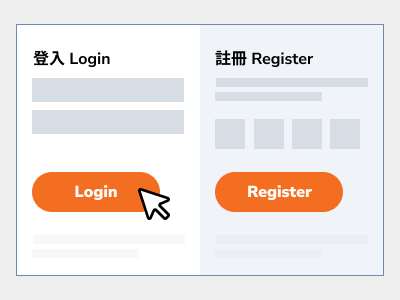
Register as a Member
Register as an eShop member with any email address or phone number.
(If you are already a member, please skip to the next step.)
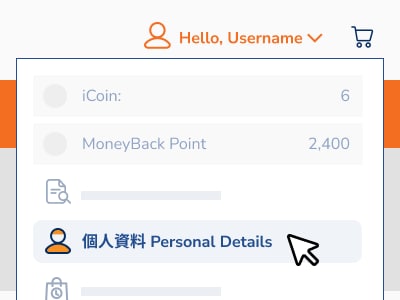
Go to Profile Page
After logging in, click "Profile" under "My Account" at the top to link your student account.
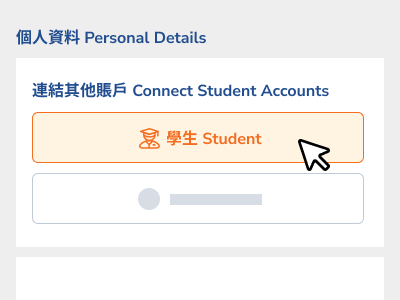
Select Account Type
Under "Link Other Accounts", select "Student", enter a recognized student email, and click "Get Verification Code".
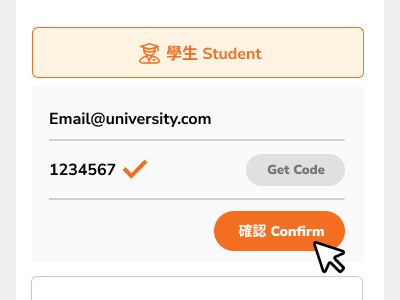
Verify & Complete
Go to your email inbox, find the verification code, enter it in the "Verification Code" field, and click confirm to complete the linking process.+
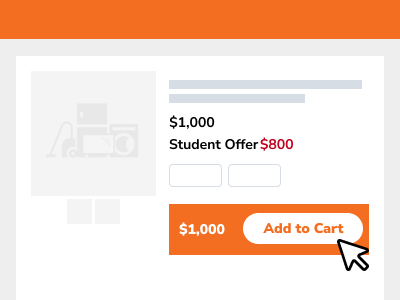
Select Discounted Products
Add the student discount products to your shopping cart.
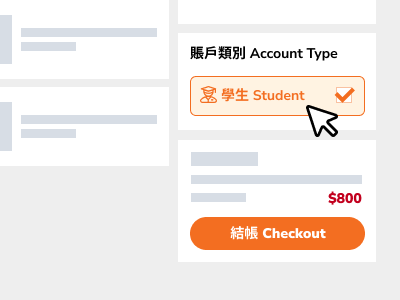
Checkout with Student Account
Select "Student" in the "Account Type" field on the checkout page.
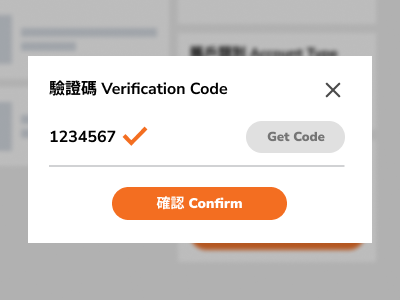
Verify Student Account
Go to your email inbox, find the verification code, and enter it in the "Verification Code" field to enjoy your student discount.